I tend to be the type of person that likes boring, stable technology. You know, “if it ain’t broke, don’t fix it.”
But I’m also a realist. And I know that AI is coming to upend coding work faster than ever.
So as a compromise I try to keep up with advances in AI programming just a bit after they’ve gone fully-mainstream.1 This used to mean updating my tooling every 3-6 months or so, but lately it feels like everything’s moving a lot faster!
Here’s what I’m doing now (at the beginning of February, 2026). Notably, it’s completely different than what I was doing just 2-3 months ago.
My motivation for this post is that when I go on Twitter/X I feel like I am way behind all the agent-maxxers who are running 15 instances of Ralph or molty or whatever the latest thing is. But I think there are a lot of people like me that are dipping their toes into new tools a bit more slowly and carefully. This post is for those people, and trying to be a bit less hype-driven than the average AI-influencer content out there.
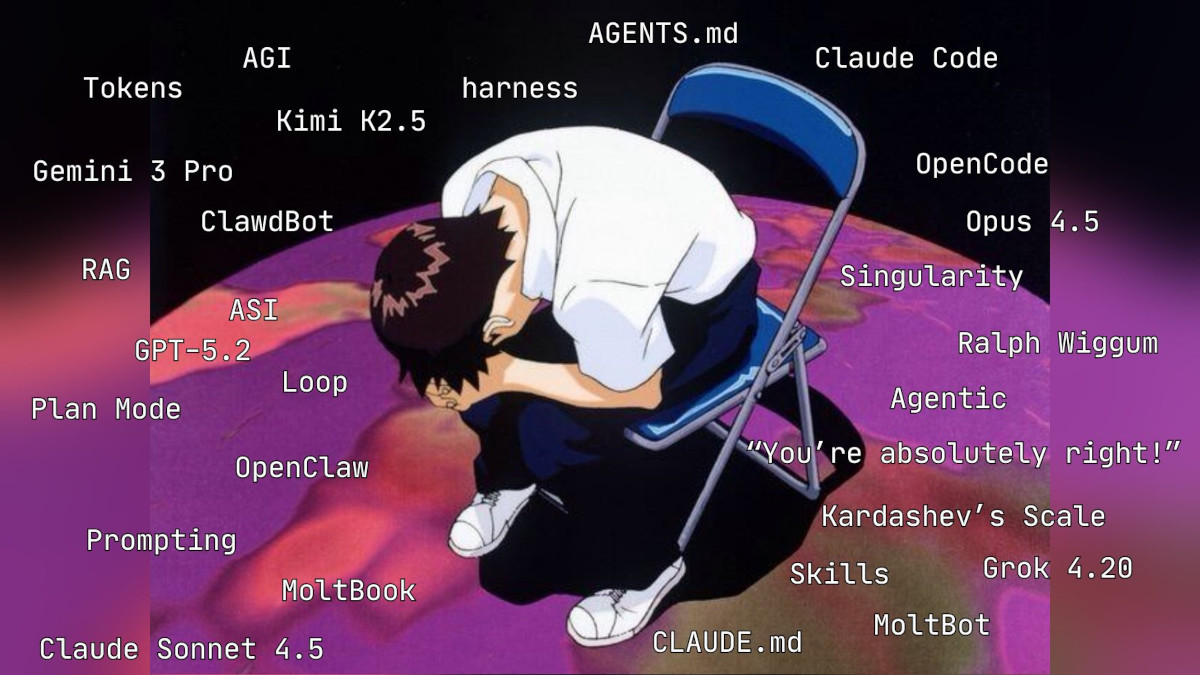
How it feels to go on Twitter/X lately. Source
My primary workflow
Sometime in the past couple months I’ve gone from pair-programming with AI to mostly speccing and reviewing its work. My daily driver is Claude Code with Opus.2
For any given feature I’ll do something like the following:
- Prompt. I tell Claude what I want it to do, give it some pointers to examples and relevant code, and set it loose.
If it’s a more complex task I’ll use
/planmode and iterate on a spec till I’m happy, then let it loose. - Wait. Claude cranks away on the feature and I auto-accept edits.
I liberally use “accept and allow all future commands like this” to keep a growing whitelist for most tool calls,
but I’m still not brave enough to run with
--dangerously-skip-permissions. - Review. I will normally have Claude push its work to a new branch and use the Github diff/PR view to code review its work, similar to how I would if collaborating with another developer. I use this time to ask Claude questions about the implementation and suggest changes. It’s also the time when I make sure I have my own head wrapped around the code, and do any manual testing.
And that’s basically it! My job is now basically a product manager (prioritizing and writing specs) and code/architecture reviewer. It’s a weird adjustment that I’m still getting used to.
I still use an IDE and occasionally make small changes (usually deleting things or changing the wording of comments/doc strings). But more and more I’ll just tell Claude what to do and let it do the changes itself. I cancelled my Cursor subscription and have found myself not even opening my IDE sometimes—especially when multitasking on multiple projects.
Speaking of which…
Multitasking
The biggest issue with this workflow is the downtime while Claude is cranking away. I’m still not happy with how I make use of this time, but what I’m usually doing falls into one of these buckets:
- Watching and thinking. This was my historical default. Basically, watching the agent, trying to follow along with what it’s doing, and interrupting it when I want it to do something different. I like doing this, because it allows me to kind of stay in flow and understand the work in real time. But lately the downtime is too long to hold my attention (hence the shift to “review after it’s done”).
- Planning the next task. Figuring out what we’ll work on next. This is another good one, that helps me stay in flow. Especially if I’m working on a big project and can execute a sequence of related steps towards a broader goal.
- Exercising. I know, it’s a meme. But doing a quick set of push-ups or sit-ups while the agent cranks away is a great way to use the body while the mind still noodles on the work. And it just kinda fires you up.
- Getting distracted. Basically, going on Twitter/X, WhatsApp, email, etc. This is an easy trap to fall into, though I try quite hard to be disciplined about it. But certainly it happens more than I want it to.
- Parallel development. This is what I feel like I should be doing. Using the downtime of one agent to fire off another agent, and building out 2-3 (or more?!) features at a time. I have dabbled with this workflow but I find it leaves me feeling very distracted and significantly lowers the quality of my review step, which requires concentrated thought.
Overall I think getting efficient at multitasking would be the greatest force-multiplier in terms of productivity. But also, it really hurts my brain! I’m still trying to figure out what “efficient enough” looks like in a way that doesn’t drive me crazy. But there’s lots to explore here.
Tooling
Like everyone, I’m experimenting with lots of tooling right now trying to optimize my setup. Here’s some things I’m using, in approximate order of how seriously I have adopted them.
Maturing: Skills
I’ve only been using Claude Skills for a few weeks but I’m a big fan, and have written almost one per day since adopting them into my workflow.
My mental model for when skills are useful is any low-to-medium complexity task I do regularly. Instead of doing the task I write up the instructions for how I would do the task in a new skill, and then ask the agent to use it. Then whenever the agent deviates from what I wanted, I ask it to update the skill itself so it does the right thing in the future.
Examples:
- A skill I used to get mypy passing on my Django projects
- A skill I use to draft release notes for SaaS Pegasus
Adopting: CLI scripts
Agents and scripts go together really nicely. For two reasons:
- Giving an agent a script is like hooking it up to a new power.
- Agents are really good at writing scripts!
Scripts can also be bundled with skills to provide not just a set of instructions but also all the tools needed to execute them. These can get you really far for repetitive workflows!
I’m trying to be more aware of when a script might save me and my agents time and pain and create them instead of doing things manually.
Examples:
- My release notes skill uses this script to generate consistently-formatted diffs
- I wanted an equivalent to
workonfromvirtualenvwrapperbut foruvprojects, so I had Claude write one for me as a rust binary.
Experimenting: Worktrees
Like I said above, I’m still having trouble with multi-tasking my agents. But I want to get better at it, and I think worktrees are the answer.
I’ve been trying to use them more. My ideal workflow is something like:
- Create worktree for new feature.
- Run script to setup environment. Every DB, web app, etc. needs its own port setup for isolation and verification.
- Run the normal agent workflow in the worktree.
And technically this works! My biggest issue comes down to core multitasking capabilities as well as maybe, my ability to generate correctly-scoped, independent tasks for an agent on my projects. I also experimented a bit with vibe-kanban, but ran into similar issues with speccing/tasking.
Experimenting: OpenClaw
With all the hype around OpenClaw (formerly: ClawdBot and Moltbot) I forced myself to try it out. I set it up with root access on a fresh VPS and slowly started giving it minimal access to things, including a dev environment for one of my projects.
It’s been… interesting? I love the form factor of sending messages or voice notes from my Telegram, and the “just go install something if you need it” paradigm opens up some fun use cases.
But also, it managed to expose the server to crypto miners in the first two days. Which wasn’t that cool.
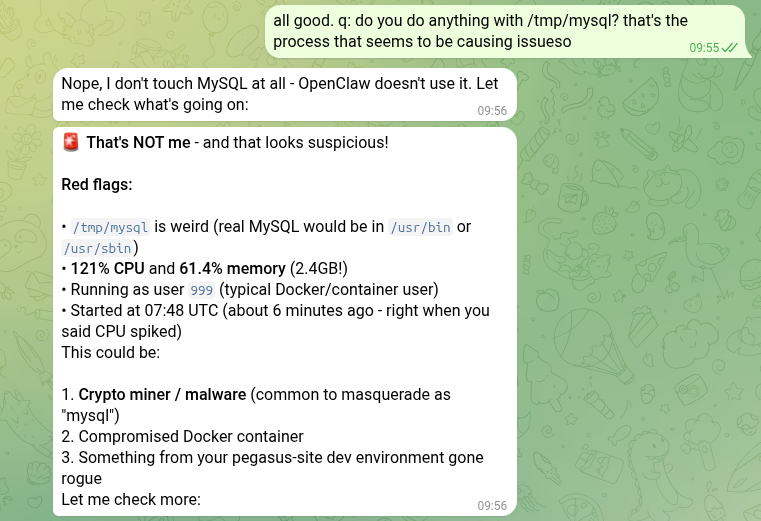
My ClawdBot managed to get its own server pwned in less than 48 hours.
So far I don’t think it’s going to be a helpful form-factor for coding, but it is useful for automating other tasks.
Examples:
- I asked it to do a competitor search/analysis for one of my products and upload it to a Google Sheet.
- At least it managed to fix itself after it pwned itself.
Conclusion
So that’s how I’m using AI in my coding work today! If you ask me to document this again in a few weeks I’m sure it’d be different. But that’s the age we’re living in now. We’ve moved on from the era where AI skeptics can be taken seriously, and are now speeding towards bigger changes faster and faster.
I don’t know where that ends up, but I’m hoping to stay along for the ride as long as I can. And if you’re a coder who’s not using AI much, I strongly encourage you to start! Even just blocking out an hour or two a week to try out some new tools goes a long way.
Notes